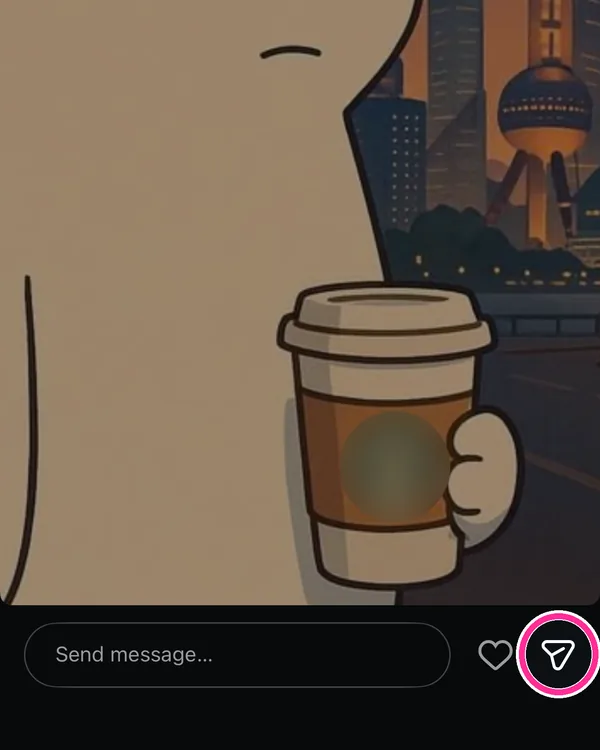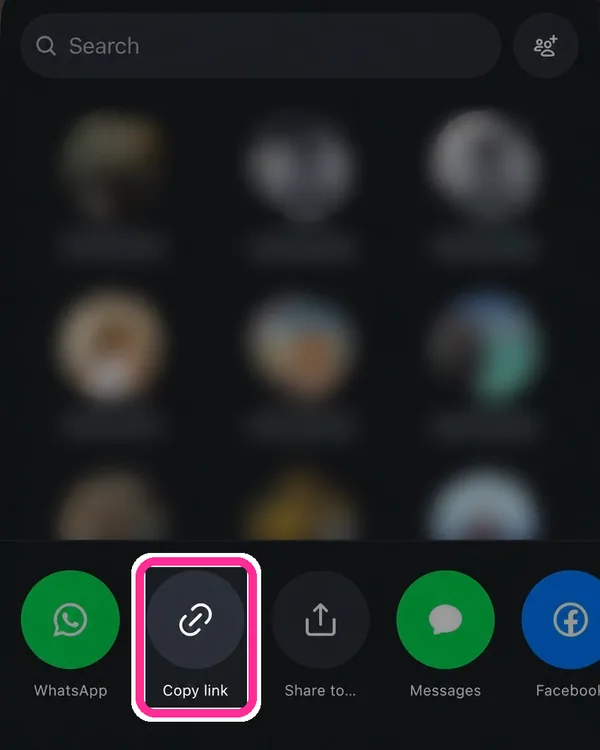


Secure Browser-Based Workflow

Instagram Private Story Downloader

Securely download supported Instagram stories, highlights, photos, and videos from accounts you are authorised to access. Status Downloader provides a browser-based workflow for convenient personal offline viewing without requiring software installation.

1
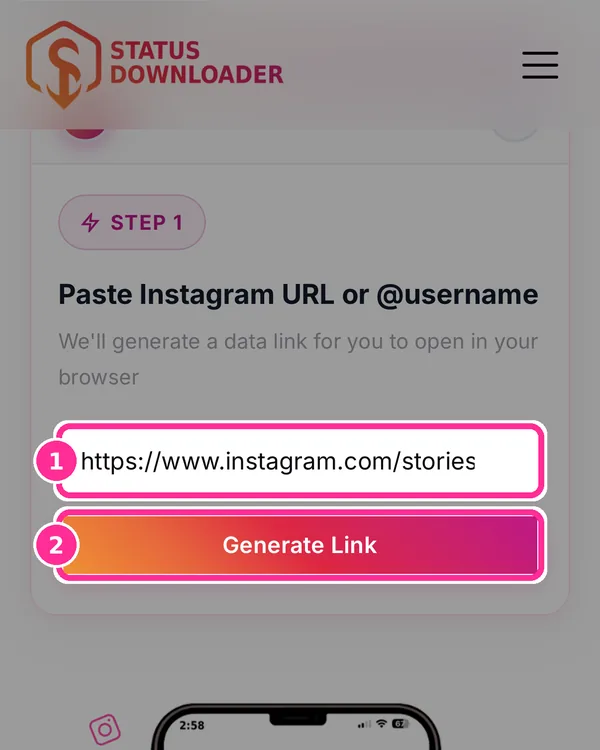
Step 1 Generate Link
2
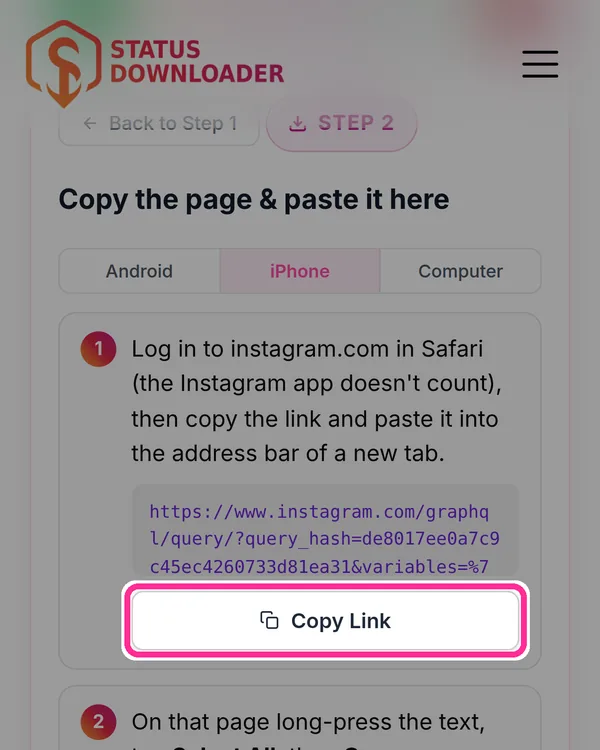
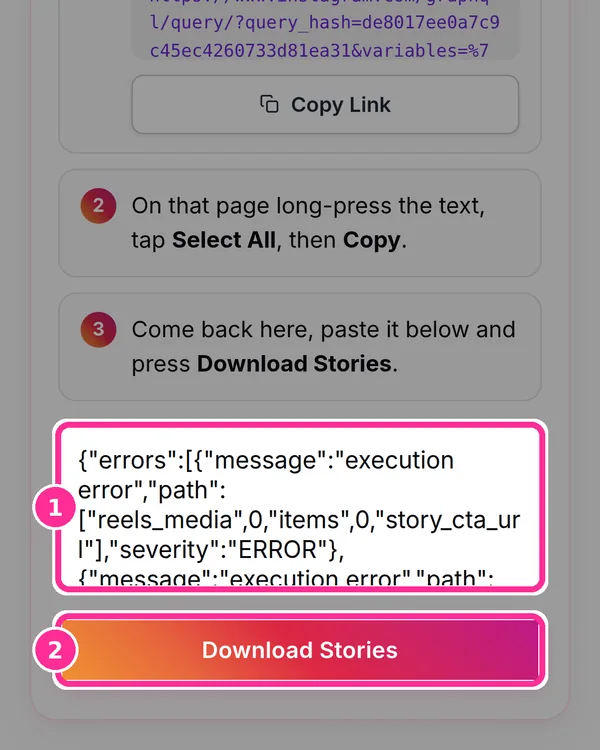
Step 2 Paste & Download
Step 1 of 2
Paste Instagram URL or @username
We'll generate a data link for you to open in your browser
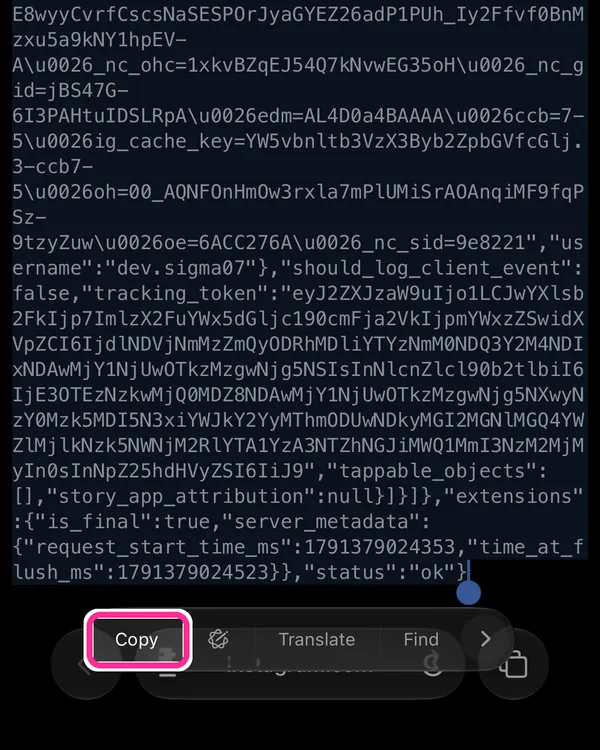
Your data link — open this in your browser, then come back to Step 2.
Automatic lookup failed. Enter the User ID manually.
To find a User ID: open Instagram, go to the profile page, open browser DevTools (F12) → Network tab → search for "web_profile_info" → click the request → look for "id":"NUMBERS" in the response. Or use a site like instaid.co to look up the numeric ID.
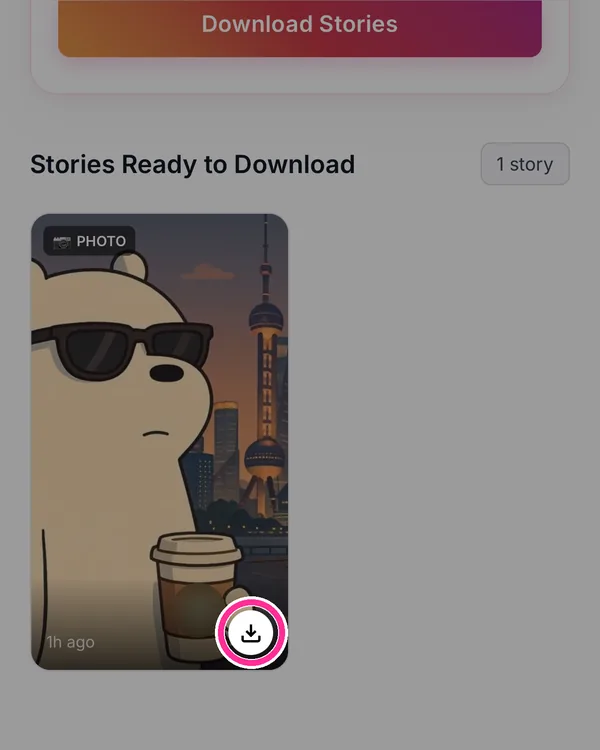
Stories Ready to Download
Instagram Downloader

Why People Use an Instagram Private Story Downloader?

Instagram provides several ways to share content with a limited audience, including private accounts, Close Friends Stories and Highlights. While this helps users control who can view their content, Instagram does not provide a built-in option to download Stories or Highlights for offline use—even for people who already have permission to view them.

A private Instagram Story Downloader provides a way to save content that you are already authorised to access. Whether you want to keep memorable Stories, save shared Highlights or store important posts for personal offline viewing, a browser-based downloader makes the process simple without requiring software installation.

Status Downloader is designed with privacy in mind. The tool works directly in your browser and helps users save supported Instagram content from accounts they can legitimately access, making it useful for personal archiving, content management and offline viewing.

Private Accounts

Save supported content from private Instagram accounts that you are authorised to access.

Close Friends Stories

Keep memorable Close Friends Stories available for personal offline viewing whenever needed.

Story Highlights

Download Highlights, photos and videos that remain available on Instagram profiles.

Browser Based

Works directly from Chrome, Safari, Firefox and Microsoft Edge without installing an application.

What Are Instagram Private Stories and How Do They Work?

Instagram offers several ways to share content with a selected audience. Understanding how private accounts, Stories and Highlights work can help you better manage and save the content you are authorised to access.

Private Instagram Accounts

Private Instagram accounts only allow approved followers to view shared content. Photos, Videos, Stories and Highlights are visible only to people who have been granted access by the account owner.

Instagram Stories

Stories are temporary posts that normally remain available for up to 24 hours. They allow users to share everyday moments through photos and videos with their followers.

Story Highlights

Highlights allow users to keep selected Stories on their Instagram profile after the standard 24-hour period, making important moments available for longer.

Close Friends Stories

Instagram's Close Friends feature lets users share Stories with a smaller group of selected people instead of their entire follower list, providing greater privacy and control.

What Can You Download with the Instagram Private Story Downloader?

Status Downloader supports multiple Instagram content types from accounts you are authorised to access. Save Stories, Highlights, Photos and Videos for personal offline viewing directly from your browser.

Instagram Stories

Download active Instagram Stories shared by private accounts that you are authorised to view before they disappear after 24 hours.

Story Highlights

Save Instagram Highlights that remain available on a user's profile for convenient offline access whenever needed.

Photos

Download individual Instagram photos shared on supported private profiles while maintaining the original media quality whenever available.

Videos

Save supported Instagram video posts directly to your device for personal viewing without requiring additional software.

Profile Media

Access supported media from Instagram profiles that you have permission to view using a secure browser-based workflow.

Browser Downloads

Everything works directly inside Chrome, Safari, Firefox and Microsoft Edge without installing any application or browser extension.

Designed with Privacy and Security in Mind

Status Downloader is built to provide a secure browser-based experience for users who want to save Instagram content they are authorised to access. Your privacy remains an important part of every download session.

Browser-Based Experience

Everything works directly in your web browser. There is no software installation, browser extension or desktop application required.

Temporary Processing

Download requests are processed only for the current session, helping you retrieve supported Instagram content efficiently without unnecessary steps.

Personal Offline Viewing

Save supported content for convenient offline viewing from Instagram accounts that you are authorised to access while respecting copyright and platform policies.

Password Privacy

Status Downloader is designed with user privacy in mind. The browser-based workflow helps you access supported Instagram content without installing additional software. Always ensure you are using the official Status Downloader website and never share your credentials with untrusted websites or services.

Works on Modern Browsers

Compatible with Google Chrome, Safari, Mozilla Firefox and Microsoft Edge across desktop and mobile devices.

No Mobile App Required

Download supported Instagram Stories, Highlights, Photos and Videos directly from your browser without installing an additional application.

Download from any Social Media Platform

One tool, all your platforms. High-quality downloads from the world's biggest social media and video sites.

Why Choose Status Downloader for Private Instagram Stories?

Status Downloader provides a secure, browser-based solution for saving supported Instagram Stories, Highlights, Photos and Videos from accounts you are authorised to access. Designed for simplicity and privacy, the tool works without requiring software installation.

Fast Browser-Based Workflow

Complete the download process directly in your browser without installing desktop software, browser extensions or mobile applications.

Privacy-Focused Experience

Built with user privacy in mind, helping you access supported Instagram content while following a secure browser-based workflow.

Works on Every Device

Compatible with Android, iPhone, Windows, macOS and Linux using Chrome, Safari, Firefox and Microsoft Edge.

Supports Multiple Media Types

Download supported Instagram Stories, Highlights, Photos and Videos from accounts you are authorised to access.

No Software Installation

Everything works online through your browser, allowing you to save supported content without installing additional programs.

Offline Access

Save supported Instagram media to your device for personal offline viewing whenever you need it.

When Should You Use an Instagram Private Story Downloader?

People use private Instagram Story downloaders for many legitimate reasons, from preserving personal memories to saving shared content they are authorised to access for convenient offline viewing.

Preserve Personal Memories

Save meaningful Stories, Highlights and shared moments before they disappear or are removed from Instagram. Keeping personal memories available offline makes them easier to revisit later.

Family & Friends

Download Stories and shared media from private accounts that you are authorised to view, making it easy to keep important moments with family and close friends.

Business Collaboration

Marketing teams, agencies and businesses often save approved Instagram Stories and Highlights for campaign reviews, internal collaboration and future reference.

Content Inspiration

Creators and designers may keep reference material from accounts they are authorised to access to help with creative planning and content inspiration.

Archive Important Content

Build a personal archive of supported Instagram media that you can access anytime, even when an internet connection is unavailable.

Offline Viewing

Save Stories, Photos, Videos and Highlights to your device before travelling or when you expect limited internet connectivity.

Common Private Instagram Download Issues & Solutions

If you're unable to download supported private Instagram content, the issue is usually related to browser authentication, session verification, account permissions, or an expired secure key. The solutions below resolve the most common problems.

Secure Key Has Expired

If your secure key is no longer valid, generate a new one and try again. Secure keys are session-based and may expire after logging out of Instagram, clearing browser data, or after an extended period of inactivity.

Authentication Verification Failed

This usually happens when your current browser session is no longer authenticated with Instagram. Make sure you are still logged into the Instagram account that has permission to view the private content before generating a new secure key.

Private Story Isn't Available

If the downloader cannot locate the story, first confirm that it is still visible within your Instagram account. Stories automatically expire after 24 hours unless they have been saved as Highlights.

You Don't Have Permission to View the Content

Private Instagram content can only be downloaded if your account is already authorised to access it. If you cannot see the story, highlight, photo, or video inside Instagram, the downloader cannot retrieve it.

Browser Session Changed

Signing out of Instagram, switching accounts, clearing cookies, or using a different browser may invalidate your current session. Log back into the correct account and generate a fresh secure key before trying again.

Download Doesn't Start

If nothing happens after processing, refresh the page, confirm your browser session is active, and regenerate the secure key. Also ensure your browser allows cookies and JavaScript for the downloader to function correctly.

Frequently Asked Questions

Find answers to the most common questions about downloading private Instagram Stories, Highlights, Photos and Videos using Status Downloader.

How does the Private Instagram Story Downloader work?

Unlike public Instagram content, private stories require access from an account that is already authorised to view them. The tool securely processes the session information from your browser to retrieve supported stories, highlights, photos, and videos without requiring additional software.

Can I download stories from any private Instagram account?

No. The downloader only works for private accounts that you are already authorised to access. If you cannot view the content in Instagram, the downloader cannot retrieve it.

Does the downloader store my Instagram login information?

No. The tool does not ask for your Instagram username or password. It works with your existing authenticated browser session and does not require you to enter your login credentials into the downloader.

Why do I need to generate a secure key?

The secure key temporarily links your browser session with the downloader so it can verify authorised access. It is generated for your current session only and is not intended for permanent use.

Can I download Close Friends stories?

Yes, provided your Instagram account has permission to view the Close Friends story. If the content is visible in your Instagram account, it can be processed through the authorised workflow.

Why is my secure key no longer working?

Secure keys may expire when your Instagram session changes, you log out, clear browser cookies, or generate a new key. Simply generate a new key and try again.

What should I do if the downloader cannot find the story?

First, confirm that you can still view the story in your Instagram account. Then verify that your browser session is active and generate a fresh secure key before trying again.

Can I use this downloader on mobile devices?

Yes. The downloader works on modern Android and iPhone browsers as well as Windows, macOS, and Linux systems without requiring an app installation.

Is there a limit to how many private stories I can download?

The downloader is designed to process supported content available through your authorised Instagram session. Availability depends on your current access permissions and whether the content is still active.

Is it safe to use this Private Instagram Story Downloader?

The downloader is designed to work through your own authorised browser session. It is intended only for downloading content that you are permitted to access while respecting Instagram privacy settings and applicable copyright laws.

Ready to Download Private Instagram Stories?

Save supported Instagram Stories, Highlights, Photos and Videos from accounts you are authorised to access. Status Downloader works directly in your browser without requiring software installation, helping you keep important content available for personal offline viewing.❤

Start Downloading